MSN
- 4.5
- Rating
- 10.00M
- Installs
- Free
- Price

 Analysis by App-foxy
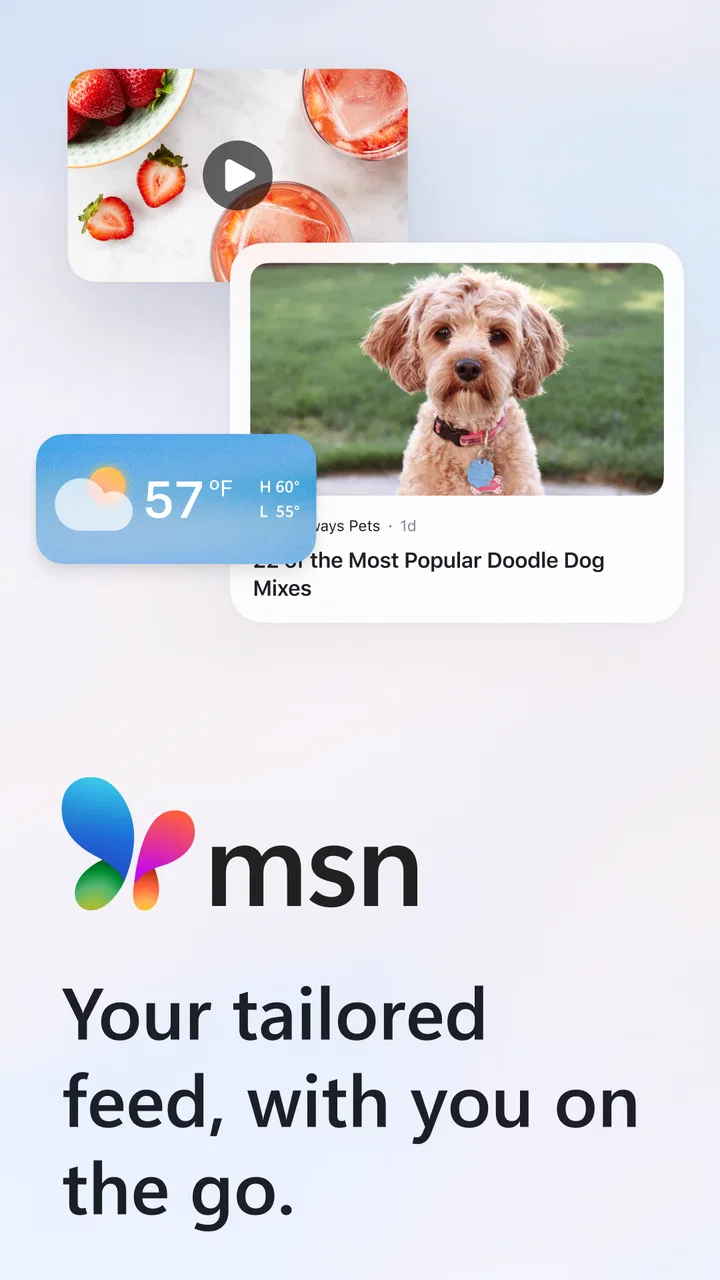
When I want a quick view of what is happening without opening several separate news sites, I turn to MSN. It is a free news and magazines app from Microsoft Corporation, built around a personalized stream rather than a single newspaper front page. That distinction matters: I am not using it as a complete replacement for every publication I follow, but as a convenient starting point for discovering stories, checking headlines, and deciding what deserves more time.
My first impression is that the app works best when I treat it as an information dashboard. I open it with a question already in mind—what is happening today, what is developing locally, or which topic is suddenly receiving attention—and scan the available cards. The experience is quick and familiar on a phone, especially when I have only a few minutes during a commute, a lunch break, or before starting work.
The app belongs to the News & Magazines category and carries an Everyone 10+ content rating. It has been available since December 11, 2014, and its long presence helps explain why it feels more established than many small news aggregators. With a 4.5 average from around 299 thousand ratings and over 10 million installs, it is clearly a widely used option rather than an experimental reader.
You May Also Like

 AccuWeather: Weather Radar
AccuWeather Review: A Quick, Clear Forecast for Everyday Decisions
For everyday plans, the best forecast is the one you can understand quickly. AccuWeather makes rain timing, radar, and local conditions easy to act on, with a few trade-offs.

 Hill Climb Racing
Why Hill Climb Racing Still Turns Crashes Into One More Run
A tiny car, a bumpy hill and one more upgrade: Hill Climb Racing keeps resurfacing because its simple chaos makes every near-miss feel personal.

 AliExpress - Shopping App
AliExpress Makes Global Shopping Feel Personal, but Shoppers Bear the Risk
AliExpress turns a global marketplace into a pocket-sized discovery engine. Its reach is useful, its shopping loop compelling, and its trade-offs easy to miss.

 Lords Mobile: Kingdom Wars
Lords Mobile Is a Kingdom-Building Routine, Not a Quick Match
A case-by-case verdict on the building, battles, device demands, and social commitments that make Lords Mobile rewarding for some players and exhausting for others.

 PDF Scanner app - TapScanner
TapScanner Makes Paperwork Easier to Capture, Check, and Share
TapScanner makes scanning with a phone feel less like a rescue operation and more like a dependable step in getting work done. Its capture tools are useful, though not flawless.

 Block Blast!
 Shows How Much a Puzzle Game Can Leave Out
A quiet grid game shows why puzzle players increasingly value instant clarity, repeatable skill and low-pressure play—and where the genre still needs to catch up.
More From Our News Desk
View All News


From a spare moment to a useful news shortlist
I find MSN most useful when I have only a spare moment and want to leave with a clearer idea of what merits my attention. In this section, I look at how a quick scan can become a practical shortlist, rather than another reason to scroll without a plan. That distinction also helps set realistic expectations for how quickly the app can serve different kinds of reading.
Starting with the right expectation
The most important setup decision is mental, not technical. MSN is designed to bring a range of stories into one place, so I expect variety and convenience instead of the exact editorial voice of one publication. If I want a carefully sequenced edition from a particular newspaper, I would use that newspaper’s own app. If I want to see which subjects are competing for attention across different sources, MSN makes more sense.
That makes the app especially useful for people who do not want to maintain a folder full of individual news apps. A general reader can use it for a morning scan, while someone who already follows specialist publications can use it as a discovery layer. I find the second approach more reliable because it keeps the app’s strengths—breadth and speed—without asking it to provide the deepest treatment of every subject.
The free price removes the biggest barrier to trying it. I can install it, browse the feed, and decide whether its selection suits me without committing to a subscription. That is valuable for casual readers, although free access also means I should not assume every story will offer the same depth or reading experience as a paid publication.
Scanning the feed before opening a story
My usual workflow begins with a fast scan. I look at the headlines, images, and topic groupings before tapping anything. This first pass is more useful than opening the first prominent story because it lets me compare several possibilities: a developing event, a practical article, a feature, or something connected to a subject I have recently been following.
I recommend resisting the urge to treat every visible card as equally important. Aggregated feeds naturally mix urgent news with lighter reading, commentary, and magazine-style material. The visual layout can make all of those items appear similarly prominent, so I use the headline and source context as a quick filter. That small habit prevents the feed from deciding my priorities for me.
For a realistic everyday example, imagine that I have ten minutes before a meeting. I open MSN, scan the top stories, notice an update relevant to my industry, and tap through to read enough to understand the basic situation. I then return to the feed and choose one broader article for context. The outcome is not a fully researched briefing, but it is a much better starting point than scrolling randomly through social media.
Moving from a headline to the full article
Once I find something worthwhile, I open the story rather than relying on the short preview. This handoff—from MSN’s feed to the article itself—is where the app’s role becomes clearer. The feed helps me discover the item, while the article provides the details, background, and wording that a headline cannot supply.
I pay attention to the publication behind the story at this stage. The app gives me a convenient route into content, but the original publisher remains important. For breaking news, I may compare the article with another source before repeating anything. For advice, analysis, or lifestyle material, I consider whether the author’s perspective is appropriate for the decision I am making.
This is one of the app’s practical strengths: it reduces the effort needed to find something readable, but it does not force me to begin with a blank search box. That is helpful when I know the general subject but not the exact wording needed to find it.
Using personalization without surrendering control
A tailored feed can become more useful over time because the app is intended to reflect a reader’s interests. I still treat personalization as a tool rather than an authority. If I repeatedly open one kind of story, I expect more of that kind to become visible, which can save time. The trade-off is that a comfortable feed may narrow my attention.
My practical solution is to keep a deliberate balance. I follow the subjects I genuinely need, but I also make room for areas outside my routine. That matters for anyone who uses the app for general awareness rather than entertainment alone. A personalized stream should help me find relevant information, not become a mirror of only what I already believe.
Another useful habit is to judge the feed over several sessions instead of after one opening. News changes constantly, and a single visit may be dominated by one major event. Looking at the app at different times gives me a better sense of whether its selection matches my interests or merely reflects an unusually busy news cycle.
Handoffs between discovery, reading, and sharing
The complete workflow has several handoffs. First, I move from the app’s overview to a selected headline. Next, I move from the headline to the publisher’s article. Finally, if the information matters to another person, I move from private reading to a conversation or a shared reference. Each step introduces a chance for confusion.
For that reason, I do not share a headline immediately after seeing it. I read the article far enough to understand what it actually claims, check the publication identity, and then decide whether the item is suitable to pass along. This is particularly important with emotionally worded headlines, where the short card may leave out the qualification that changes the meaning.
MSN is useful in this chain because it gives me a single place to begin. It is less suitable as the final authority when the subject is sensitive, technical, or likely to change quickly. In those situations, I use the app to locate the story and then continue with direct source checking.
What the finished result looks like
At the end of a short session, I usually have one of three outcomes. I may have found a story worth reading later, learned enough about a current event to participate in a conversation, or discovered a publication that I want to follow separately. That is a modest result, but it is exactly where this app is most convincing.
It does not need to turn every visit into a long reading session. A good news tool can also succeed by helping me make a decision quickly: ignore this, save time for that, or investigate the subject elsewhere. MSN’s broad feed supports that kind of triage better than a single-publication app, because it gives me more starting points in one place.
The experience is also suitable for readers who prefer occasional check-ins. I do not have to build a complicated routine around it. Opening the app for a brief scan, selecting one useful article, and leaving is a perfectly reasonable way to use it. People who want a calmer, more deliberate reading environment may prefer a dedicated magazine or newspaper app, but that is a different goal.
Where the workflow becomes less comfortable
The same breadth that makes the app convenient can make it feel uneven. A mixed feed asks me to perform more editorial judgment because not every item has the same purpose, tone, or depth. Readers who want a tightly curated publication may find the variety distracting rather than helpful.
There is also a risk of stopping at the summary. A card can answer “what is this about?” without answering “what does it mean?” I consider that the main weakness of any quick news dashboard, including this one. The app can shorten discovery, but it cannot remove the need to read carefully when the subject affects work, money, health, or personal decisions.
Another point of friction is the transition between the feed and the original article. The reading experience may feel less uniform than staying inside one publisher’s app, because different sources can present information in different styles. I accept that trade-off in exchange for variety, but readers who value a consistent layout and uninterrupted reading may prefer a dedicated alternative.
People who mainly want local reporting, one specialist field, or a single editorial perspective should also think twice. MSN can help surface relevant material, but its broad purpose means it is not the most focused tool for a narrow information diet. In those cases, a local newsroom app, specialist publication, or direct subscription will usually provide a clearer path from need to answer.
How it compares with familiar alternatives
Compared with reading news through a web browser, MSN gives me a more organized starting point. I do not have to remember every site or repeatedly search the same subjects. The advantage is convenience; the disadvantage is that the app’s selection influences what I notice first.
Compared with a social media feed, I find it easier to approach MSN with an intentional purpose. Social platforms often combine news with personal updates, reactions, and distractions. MSN keeps the central activity closer to browsing articles. I still need to evaluate sources, but the path from headline to reading is more direct.
Compared with a single newspaper app, MSN offers greater variety but less editorial consistency. A newspaper app is better when I trust that publication’s reporting and want a complete edition. MSN is better when I want to survey several subjects before choosing where to focus. Neither approach is universally superior; the right choice depends on whether I value breadth or depth at that moment.
Compared with a specialist reader built around subscriptions or saved sources, MSN is easier for casual discovery. A specialist tool may be better for serious research because it can reflect a carefully selected reading list. I would use MSN at the beginning of the process and a more focused reader at the end when I need sustained coverage.
Small habits that improve the experience
I get more from the app when I use a clear purpose for each visit. A morning scan, a topic check, and a search for weekend reading are different tasks, and I judge the feed differently for each one. This prevents me from blaming the app when the real problem is that I opened it without knowing what I wanted.
I also separate discovery from verification. The feed is excellent for finding possible leads, while the full article and additional reputable sources are better for confirming important details. That two-stage workflow is more dependable than treating a personalized card as a finished answer.
A third useful approach is to notice repeated coverage. If several visible stories appear to describe the same event, I avoid reading every version immediately. I choose the clearest article first, then look for a second perspective only if the subject deserves it. This keeps a broad feed from turning a ten-minute check into an hour of duplicated headlines.
Finally, I use the app as a doorway rather than a destination when a subject becomes important. If a story affects a decision, I follow the source, seek primary information where appropriate, and return to MSN later for wider context. That workflow preserves the app’s convenience without asking it to do a job it was never meant to do alone.
Who should install it
I would recommend MSN to readers who want a free, general-purpose way to browse current stories and magazine-style content from one mobile app. It is a strong fit for busy people who need a quick overview, casual readers who dislike maintaining several news apps, and anyone who enjoys discovering subjects outside a fixed daily newspaper.
I would be more cautious about recommending it to someone who wants only local reporting, a specialist research workflow, or a single consistent editorial voice. Those readers will probably be happier with a focused publication app or a carefully chosen collection of direct sources. The broad feed is a benefit only when breadth is actually useful.
Its scale is reassuring: the app has earned around 15 thousand written reviews and has passed 10 million installs. Those figures suggest a mature audience, but popularity does not remove the need to decide whether the feed’s style suits me. I still judge it by the quality of my own reading sessions, not by adoption alone.
My recommendation after using the full workflow
MSN succeeds as a first stop. I open it with a loose information need, scan the personalized feed, select a promising story, read beyond the headline, and decide whether the result is enough or needs deeper checking. That complete path is practical, quick, and more useful than treating the app as an endless stream to consume passively.
The app’s limitations are tied to its purpose. A broad aggregator cannot offer the same focus as a dedicated publication, and a quick summary cannot replace careful verification. Once I accept those boundaries, the experience becomes straightforward: use MSN for discovery and orientation, then hand important subjects to stronger, more specialized sources.
For a free News & Magazines app from Microsoft Corporation, I think that is a fair and useful role. I would install it for convenient daily scanning, especially when I want several possible directions from one screen. I would skip it only if my reading needs are already narrow and fully served by a trusted specialist source. For everyone else, it is a sensible way to turn a spare few minutes into a more informed next step.
FAQs for MSN
01What features does the MSN app offer?
The MSN app provides a comprehensive range of features including the latest news, weather updates, sports scores, and lifestyle content. Users can customize their experience by selecting their preferred topics and sources. Additionally, the app offers integration with Microsoft services, allowing for seamless access to Outlook, Office, and OneDrive.
02Is the MSN app free to use?
Yes, the MSN app is completely free to download and use. It provides access to a wealth of information without any subscription fees. However, users should be aware that the app contains advertisements. These ads help keep the application free by generating revenue for the developers.
03Can I customize my news feed in the MSN app?
Absolutely! The MSN app allows users to personalize their news feed according to their interests. You can choose specific topics or follow particular news sources to ensure your feed displays only the content you find relevant. This feature enhances user experience by providing a tailored stream of news.
04Does the MSN app require an internet connection?
Yes, the MSN app requires an internet connection to fetch the latest news articles, weather updates, and other content. While some data may be cached for offline viewing, most of the app’s functionality depends on being connected to the internet. This ensures you receive the most current information available.
05How does the MSN app handle user data and privacy?
The MSN app adheres to Microsoft's strict privacy policies. It collects data to improve user experience, but users have control over their privacy settings. You can review and adjust the permissions and data-sharing options in the app’s settings to ensure your information is handled according to your preferences.
Pros
- User-friendly interface for easy navigation.
- Real-time news updates keep you informed.
- Customizable news feed preferences.
- Integrated weather forecasts and alerts.
- Supports multiple languages for global users.
Cons
- Occasional ads can disrupt the experience.
- Limited offline functionality.
- Some news sources may be biased.
- Requires stable internet for updates.
- Can be resource-heavy on older devices.

Gallery